
General FAQs
What is your lead time?
Will you charge my credit card right away?
Do you ship to my country?
What is the shipping fee?
Are there extra tariffs, customs or duty fees?
Do you have a waitlist?
Can I pay to expedite my order?
Do you offer any discounts for veterans, first responders, police, military, etc,?
I'm having an issue!
Any other questions? Reach out to us at adamjmac@autotrickler.com.
AutoTrickler FAQs
Yes, you will need a tablet or smartphone to download the AutoTrickler app. The app is available for iOS and Android and connects via Bluetooth.
What's the height of the AutoTrickler and scale?
Does it work with my current scale?
Does it work with the A&D FX-300iN?
Does it work with the A&D FX-1200i? HR-100A? EJ Series?
Not at all! There are a few scale setting changes to make, but everything is described in the included manual and you can even follow along with Adam's setup video.
What powders does it work with?
Does it work with black powder?
Why do I need this? I already have a scale/dispenser.
I have an older AutoTrickler. Should I upgrade?
Can I run multiple AutoTricklers at once?
Do I need any extra parts?
What's the minimum and maximum charge weights I can set?
I'm having an issue!
My scale is showing "E" and I can't reload.
My scale is showing "Lb" and I can't reload.
If you want to purchase a new one from us, it is available in are parts store here.
Or this one from Amazon is compatible as well.
The app can't set a target weight.
The app is not connecting to the AutoTrickler.
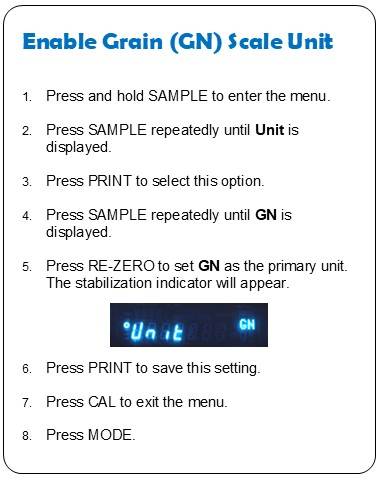
How can I enable GN (grains) as a unit on the scale?
I can't find the app in the Google Play Store.
The AutoTrickler app is temporarily unavailable in the Google Play Store, but you can install the apk on Android devices manually. Instructions are here. This process is the same for V3 and V4 AutoTricklers.
Any other questions? Reach out to us at adamjmac@autotrickler.com.
ShotMarker FAQs
I'm having an issue!
What target faces do you support?
Can you add a custom target face to the system?
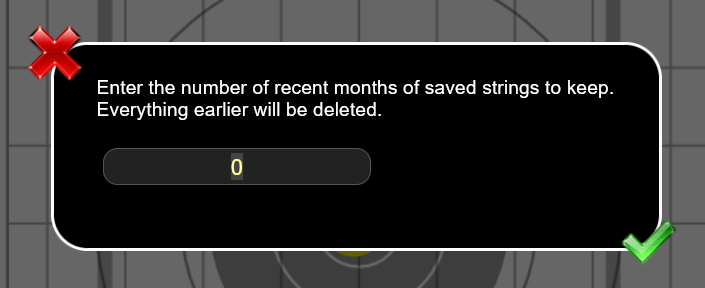
Can I delete multiple strings at once?
What's the maximum distance ShotMarker will detect shots?
Any tips for shooting in the rain?
You'll also need to confirm:
- the ammo is supersonic at the target (around 1200 fps)
- the shooter is on target
You can do this by having another shooter fire on the same target or have the first shooter fire on a different target that you know is working.
If all of that has been confirmed, go down range and check the Sensor Hub. Make sure it is turned on with a solid green light. If the light is fast blinking, one of the cables is shorted and it won't detect shots until this is fixed. Unplug them one by one to see which is causing the issue.
Any other questions? Reach out to us at adamjmac@autotrickler.com.
ShotMarker Event Mode FAQs
Can I import a list of competitors?
How can I make results available after the match?
What's a spectator server?
How do I run infiltration-style matches?
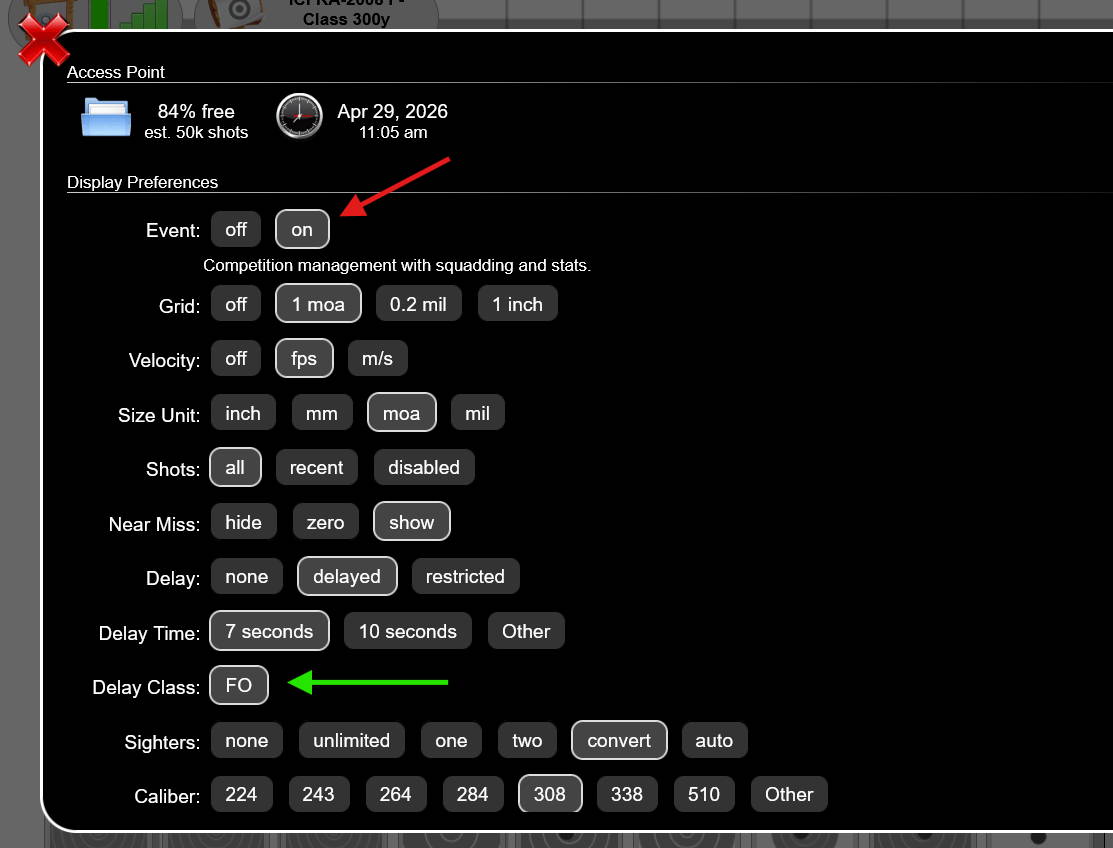
Can I have separate delays for different shooters?
What is the difference between Low Security and Medium Security?
If you are using the latest software version (1.20 or 1.22) there are two security settings you can enable through the Access Point configuration menu (tap the globe icon in the upper left corner).
Low - locks out the AP configuration menu
Medium - locks out all configuration (AP, Sensor Hub, changing target faces, Event management) and saving strings. Anyone can open and view already saved strings. If the relay is active, any person logged in and squadded on that relay will be locked to that target. They can't switch to another target unless they log out or are removed from that relay's squadding. If you use the option to manually convert sighters or unlimited with the Go for Record button, the competitor must be logged in (and squadded) to see those buttons on their target.
If you forget your password, turn the AP off and on again; when it comes back, security will be disabled.
Any other questions? Reach out to us at adamjmac@autotrickler.com.